
Montenegro SIM Card vs eSIM: EU Roaming, Cruise Stops & Coverage (2026)
Montenegro isn't in EU Roam Like at Home. Compare tourist SIMs and eSIMs for Kotor, Budva and Durmitor, including cruise day stops. Plans from $2.
ReadAuthor
Angelus Sharma
Published
July 31, 2026
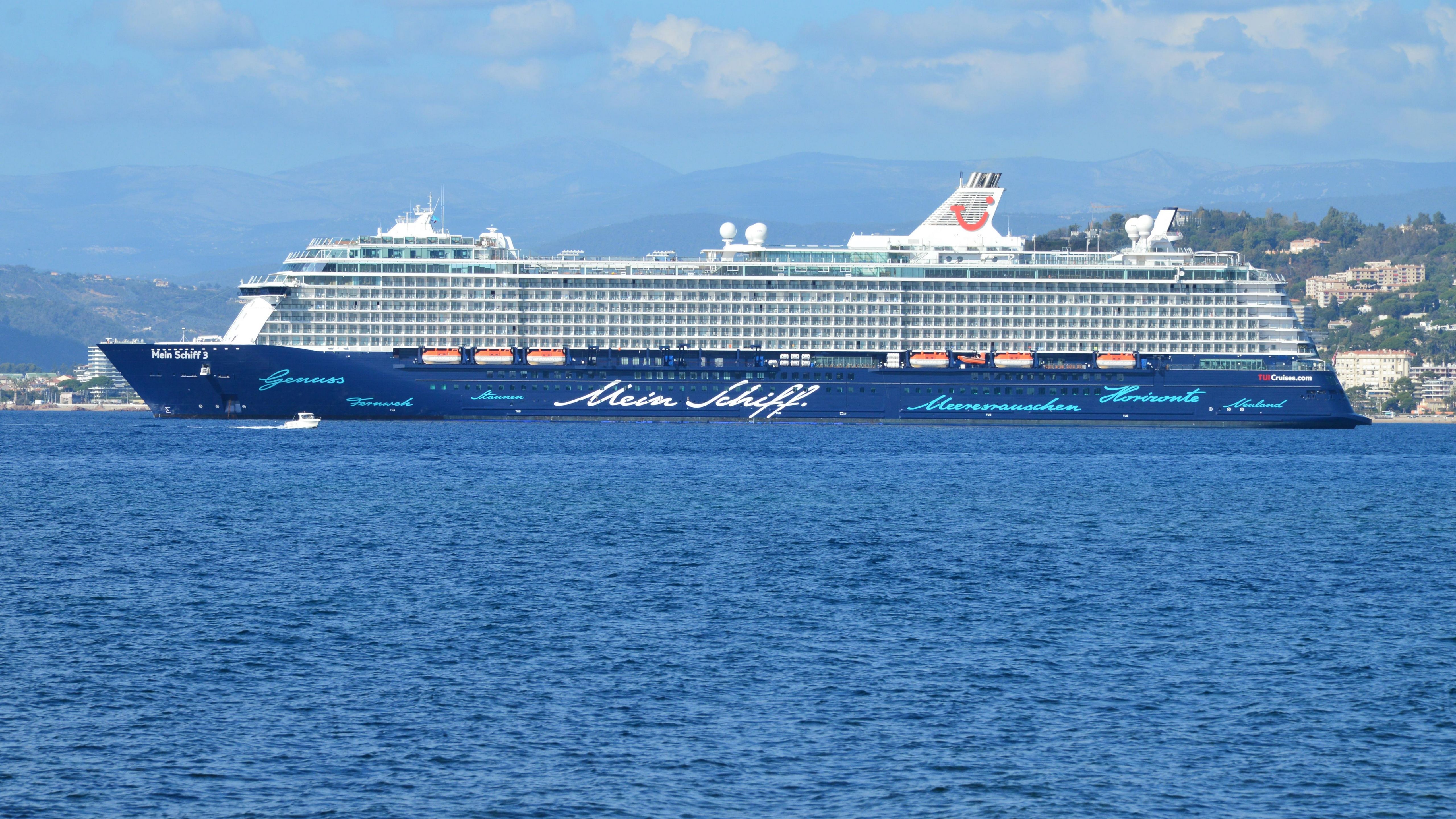
Cruise holidays have become one of the fastest-growing segments of international travel. Whether you're exploring the Greek Islands, sailing through the Caribbean, discovering Alaska, or taking a world cruise, staying connected has become just as important as packing your passport.
Many travellers assume that purchasing a travel eSIM means they'll have internet throughout the entire voyage.
Unfortunately, that's not how mobile networks work.
This is one of the biggest misconceptions surrounding travel eSIMs.
An eSIM works exceptionally well while you're connected to land-based mobile networks, but once a cruise ship sails into open water, your phone is no longer connected to traditional cellular towers.
Instead, the ship typically relies on satellite communications or specialised maritime mobile networks.
Understanding the difference between at-sea connectivity and in-port connectivity can save you hundreds of dollars in unexpected roaming charges.
This guide explains exactly how travel eSIMs work on cruises, when they work, when they don't, and how to stay connected throughout your journey without unpleasant surprises.
The short answer is:
Yes—but only under certain conditions.
A travel eSIM works whenever your phone can connect to a supported terrestrial (land-based) mobile network.
This usually includes:
Ports
Coastal cities
Tourist destinations
Islands
Towns
Airports
Once your ship moves far enough from shore, those land-based cellular signals disappear.
At that point, your device may attempt to connect to:
Maritime cellular networks
Satellite-based services
The cruise ship's onboard network
These services are generally not included in standard travel eSIM plans.
One of the easiest ways to understand cruise connectivity is to separate your trip into two environments.
When your cruise is docked:
Local cellular towers are available.
Your travel eSIM usually works normally (assuming your destination is covered).
Mobile data speeds are similar to those experienced by residents and other visitors.
This is when you'll typically use your eSIM for:
Google Maps
Messaging
Booking excursions
Ride-hailing apps
Restaurant searches
Uploading photos
Checking email
Video calls (network permitting)
Once the ship is far offshore:
Land-based mobile coverage disappears.
Standard travel eSIMs generally stop providing data.
The ship relies on satellite connectivity or maritime networks.
This is why many travellers notice that their mobile data stops working several miles after departure.
Unlike cities on land, oceans don't have mobile towers every few kilometres.
Cruise ships rely on satellite systems that communicate directly with space-based infrastructure.
This allows passengers to access internet services in the middle of the ocean.
However, satellite connectivity:
Is much more expensive to operate.
Has limited bandwidth compared to land-based networks.
Can experience higher latency.
May vary depending on weather and location.
Because of these costs, cruise internet packages are often significantly more expensive than terrestrial mobile data.
One of the biggest financial risks for cruise passengers is maritime roaming.
When your phone automatically connects to a maritime mobile network, your home carrier may treat it differently from standard international roaming.
Depending on your carrier, this could result in:
Very high pay-as-you-go charges.
Premium rates for calls and texts.
Expensive data usage.
Charges that are not covered by your regular travel package.
Many travellers only discover these costs after receiving their next mobile bill.
Before your cruise departs, take a few minutes to adjust your phone settings.
The safest option while the ship is at sea is to enable Airplane Mode.
You can then manually turn Wi-Fi back on if you intend to use the ship's internet package.
If you're using Dual SIM:
Keep your travel eSIM ready for use in port.
Disable roaming on your home SIM to reduce the risk of unexpected charges.
If your phone allows it, manually selecting networks can help prevent accidental connections to unsupported maritime networks.
Many phones display a welcome message when connecting to a new network.
If you suddenly receive a notification mentioning a maritime network, it's worth checking your settings immediately.
Your travel eSIM is typically useful during:
Boarding day
Departure port
Port stops
Island visits
Shore excursions
Overnight stays in port
Before and after the cruise
This often covers a significant portion of your holiday, especially on itineraries with frequent stops.
Popular ports include:
Barcelona
Rome (Civitavecchia)
Naples
Athens
Santorini
Mykonos
Dubrovnik
A regional Europe eSIM can often keep you connected across many of these destinations while you're ashore.
Common stops include:
Nassau
Cozumel
St. Thomas
Aruba
Grand Cayman
Jamaica
Depending on your itinerary, you may choose individual country plans or a regional option if available.
Travellers often regain land-based connectivity while visiting ports such as:
Juneau
Skagway
Ketchikan
Coverage varies depending on the local mobile operators and surrounding geography.
Popular destinations include:
Norway
Denmark
Sweden
Finland
Germany
Iceland
Regional plans can simplify connectivity while visiting multiple countries.
That depends on how you use the internet.
Need internet while sailing between ports.
Attend work meetings during sea days.
Want continuous messaging.
Upload content throughout the voyage.
Mainly use your phone during port visits.
Spend sea days offline.
Want to avoid paying for satellite internet.
Download maps and entertainment before departure.
Many travellers choose a combination of both.
Usage depends on how often you're ashore.
Activities:
Maps
Messaging
Recommended:
3–5 GB
Activities:
Social media
Browsing
Restaurant searches
Photo uploads
Recommended:
5–10 GB
Activities:
Video calls
Frequent uploads
Streaming in port
Recommended:
10–20 GB
Because your eSIM typically isn't used during sea days, many cruise passengers consume less mobile data than they would on a land-based holiday of the same duration.
Before your cruise:
Install your eSIM while connected to home Wi-Fi.
Download offline maps.
Save boarding passes offline.
Download entertainment for sea days.
Update apps before departure.
During your cruise:
Switch to your eSIM when arriving in port.
Use Wi-Fi only if you've purchased a ship internet package.
Keep roaming disabled unless you specifically intend to use your carrier's service.
Avoid these common errors:
Assuming a travel eSIM works in the middle of the ocean.
Leaving international roaming enabled.
Accidentally connecting to maritime networks.
Buying expensive onboard internet without understanding what's included.
Waiting until arrival to install the eSIM.
Forgetting to check destination coverage before departure.
Planning ahead can prevent unexpected costs and ensure a smoother travel experience.
Yes—provided your itinerary is covered by your provider's regional or country-specific plans.
For example:
A Europe regional eSIM may cover several Mediterranean ports.
Some regional plans are suitable for parts of Asia or North America.
If your itinerary spans multiple continents, you may need separate plans depending on the provider.
Always check the list of supported destinations before purchasing.
Cruise holidays often combine several countries in one unforgettable journey, making flexible connectivity especially valuable.
eSIMLLY provides travel eSIM services in more than 160 countries and regions, offering destination-specific and regional plans that help travellers stay connected during port visits, shore excursions, and before or after their cruise. With instant digital delivery, transparent pricing, and simple activation, you can install your eSIM before leaving home and be ready to connect whenever your ship reaches land.
Whether you're sailing through the Mediterranean, Caribbean, Northern Europe, Alaska, or Asia, eSIMLLY makes staying connected during the land portions of your journey simple and affordable.
For most cruise passengers, yes—but with realistic expectations.
A travel eSIM is an excellent solution for:
Port days
Shore excursions
City sightseeing
Airport transfers
Hotels before and after the cruise
Multi-country itineraries
For internet access in the middle of the ocean, however, you'll generally need the cruise line's satellite internet package or another onboard connectivity solution.
Understanding this distinction allows you to choose the right combination of services and avoid unnecessary costs.
Travel eSIMs have made staying connected during international holidays easier than ever, but cruise travel introduces a unique challenge. While an eSIM performs exceptionally well whenever your ship is docked or close enough to land-based mobile networks, it generally won't replace satellite internet while you're sailing across open water.
The best strategy is to use your travel eSIM for every destination on your itinerary and rely on the ship's onboard internet only if you genuinely need connectivity during sea days. This approach often delivers the best balance between convenience, performance, and cost.
The future of travel is connected, digital, and increasingly seamless—and embedded eSIMs are becoming one of the technologies making that future possible.
As more travellers, enterprises, and device manufacturers embrace eSIM technology, staying connected across borders is becoming simpler than ever. With eSIMLLY providing travel eSIM services in more than 160 countries and regions, international travellers can enjoy reliable mobile connectivity wherever their journey takes them.
Instant activation, hotspot included and no roaming fees in the destinations from this guide.
Montenegro isn't in EU Roam Like at Home. Compare tourist SIMs and eSIMs for Kotor, Budva and Durmitor, including cruise day stops. Plans from $2.
Read
Zvartnots airport SIM or eSIM? Compare Armenia's operators, tourist bundle prices and when each option makes sense. eSIM plans from $2.50.
Read
Beeline, Kcell or Tele2? Why foreign phones on Kazakh SIMs need IMEI registration, and when a travel eSIM is easier. Plans from $1.50.
ReadGet instant data and savings on your next trip with eSIMLLY. Simple activation, no physical SIM card needed.


