
Montenegro SIM Card vs eSIM: EU Roaming, Cruise Stops & Coverage (2026)
Montenegro isn't in EU Roam Like at Home. Compare tourist SIMs and eSIMs for Kotor, Budva and Durmitor, including cruise day stops. Plans from $2.
ReadAuthor
Angelus Sharma
Published
September 21, 2026
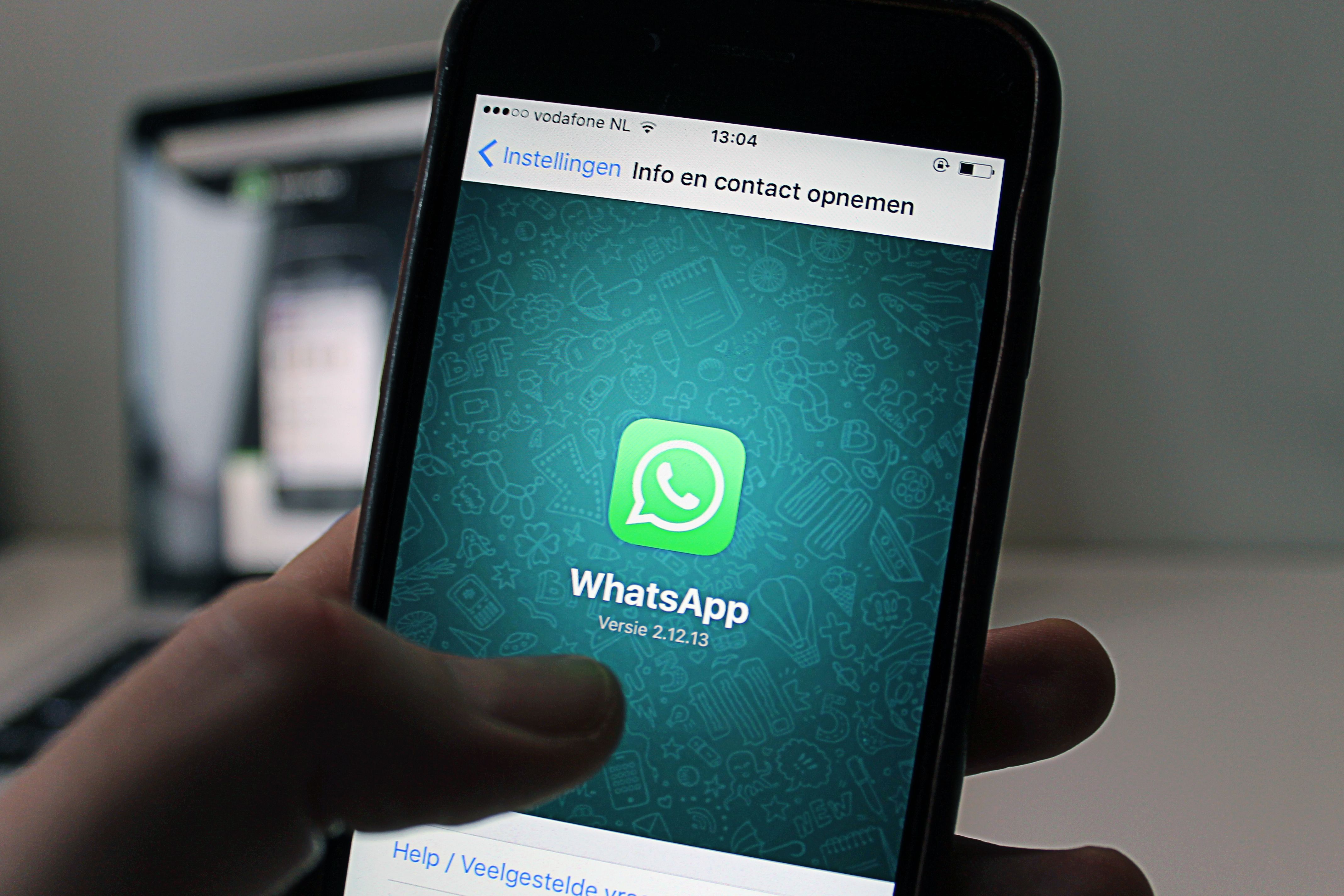
Yes, you can make WhatsApp calls with a travel eSIM as long as your eSIM provides an active mobile data connection and WhatsApp calling is available in your location.
This is one of the biggest advantages of using a data-only travel eSIM. You don't necessarily need a traditional local phone number to communicate with family, friends, or colleagues while travelling.
WhatsApp calls use the internet rather than traditional cellular voice minutes. Therefore, if your phone is connected to the internet through a travel eSIM, you can use WhatsApp for voice and video calls.
With eSIMLLY, you can choose travel eSIM plans covering 160+ countries, providing mobile data that can be used for WhatsApp, Google Maps, email, social media, and other internet-based applications.
Explore eSIMLLY travel eSIM plans
WhatsApp calls work through an internet connection.
Normally, your phone might connect to the internet through:
Wi-Fi
Your regular mobile data
A local SIM
A travel eSIM
When you use a travel eSIM such as eSIMLLY for mobile data, WhatsApp can use that connection to make voice and video calls.
The basic setup is:
eSIMLLY eSIM → Mobile network → Mobile data → WhatsApp → Voice/video call
The eSIM does not need to provide traditional voice calling for WhatsApp to work.
What matters is having an active internet connection.
No.
You do not need a traditional phone number specifically for making WhatsApp calls.
WhatsApp uses an internet connection for its calls.
This means a data-only travel eSIM can provide the connectivity needed for WhatsApp voice and video calls.
However, WhatsApp accounts are associated with phone numbers for registration and account setup. Your travel eSIM does not necessarily need to provide that phone number.
For example, you can have:
Your existing WhatsApp account → Registered with your normal number
eSIMLLY → Provides mobile data while travelling
WhatsApp can then use the eSIMLLY data connection for calls.
Yes.
This is one of the most common uses of a data-only travel eSIM.
A data-only eSIM can provide internet connectivity for applications such as:
Google Maps
Google Translate
Gmail
Telegram
Messenger
Ride-hailing apps
Travel booking apps
eSIMLLY's standard travel service is primarily a mobile data service, so internet-based communication applications can be used over the data connection.
Yes, you can use WhatsApp voice calls over an active eSIMLLY mobile-data connection, subject to WhatsApp availability and local network restrictions.
For example, if you're travelling in Japan and your eSIMLLY plan is connected to the supported mobile network, you can use the mobile data connection for WhatsApp messaging and calls.
Yes.
WhatsApp video calls use mobile data, so they can work over a travel eSIM's internet connection.
However, video calls generally consume more data than voice calls.
If you expect to make frequent video calls during your trip, consider choosing an eSIMLLY plan with enough data for your overall usage.
Your data allowance may also be used by:
Google Maps
Social media
Web browsing
Music streaming
Video streaming
Cloud backups
Other applications
Therefore, don't calculate your eSIM requirement based only on WhatsApp.
Yes.
WhatsApp voice and video calls are internet-based services, so they consume data.
The amount of data used depends on factors such as:
Call duration
Voice vs video
Connection quality
Video quality
WhatsApp's current data behavior
Other background activity
Voice calls generally use less data than video calls.
If you're using a smaller travel eSIM plan, monitoring your data usage can help prevent unexpectedly running out of data.
There is no single fixed amount because data consumption varies according to call type and network conditions.
As a general principle:
WhatsApp voice calls → lower data usage
WhatsApp video calls → higher data usage
If you're making occasional short voice calls, your WhatsApp usage may represent only a small part of your overall travel data consumption.
If you're making frequent or lengthy video calls, you should consider a larger eSIM data allowance.
Your total travel data requirement should also include other applications you use throughout the day.
Yes.
You can use WhatsApp over mobile data provided by your travel eSIM.
For example:
Hotel Wi-Fi: WhatsApp works.
Airport Wi-Fi: WhatsApp works.
Restaurant Wi-Fi: WhatsApp works.
eSIMLLY mobile data: WhatsApp works.
This is particularly useful when you're outside your hotel or another Wi-Fi location.
Yes, provided your travel eSIM has been installed and activated correctly and your phone has connected to the supported mobile network.
This is one of the main benefits of preparing your eSIM before travelling.
Imagine arriving at an airport in another country.
You can:
Turn on your eSIMLLY line.
Select it for mobile data.
Connect to the supported network.
Open WhatsApp.
Send messages.
Call your family or travel companions.
You don't have to wait until you find hotel Wi-Fi.
Yes.
Your WhatsApp account can remain associated with your existing phone number while you use a travel eSIM for mobile data.
For example:
WhatsApp account: Your existing number
Physical SIM: Your normal SIM
Travel eSIM: eSIMLLY mobile data
This is a particularly useful setup for international travel.
You can keep your existing WhatsApp account while using the eSIMLLY data connection for internet-based communication.
Usually, no.
If you're travelling internationally and simply using a travel eSIM for mobile data, you generally don't need to change the phone number associated with your WhatsApp account just because you are using a different data connection.
Your WhatsApp account can continue to use your existing number while your internet connection comes from eSIMLLY.
This means you can continue chatting with your existing WhatsApp contacts without creating a new account simply because you're travelling.
Yes.
As long as your phone has an active internet connection and WhatsApp is functioning normally, you can receive WhatsApp voice and video calls.
The call is delivered through your internet connection rather than traditional cellular voice service.
This is another reason data-only travel eSIMs can be useful.
Yes.
WhatsApp messaging requires an internet connection, so your eSIMLLY mobile data can be used for:
Text messages
Photos
Videos
Voice messages
Documents
Location sharing
Contacts
Other supported WhatsApp features
The amount of data used varies depending on what you send.
Text messages generally consume much less data than photos, videos, and calls.
Yes.
WhatsApp location-sharing features can use your phone's internet connection.
This can be particularly useful while travelling with family or friends.
For example, you can share your location when:
Meeting at an airport
Exploring a city
Visiting a tourist attraction
Finding a restaurant
Meeting at a train station
Your eSIMLLY mobile data can provide the connection required for these internet-based features.
Yes.
WhatsApp groups continue to work over an internet connection.
You can use them to communicate with:
Family
Friends
Travel groups
Tour groups
Work colleagues
Business contacts
You don't need to purchase a local physical SIM simply to continue using your existing WhatsApp conversations.
eSIMLLY provides travel eSIM coverage across 160+ countries.
This means you can use eSIMLLY mobile data for internet-based applications such as WhatsApp in many destinations.
However, availability of WhatsApp calling can be affected by local regulations, network policies, or restrictions in particular countries.
Before travelling, check the communication services available in your destination.
The eSIM itself provides the mobile data connection; availability of individual applications and calling features can depend on the destination.
Yes.
If your eSIMLLY Japan plan is active and connected to a supported network, you can use the mobile data connection for WhatsApp messaging and calls.
This can be useful for travellers who want to stay in contact with family and friends without relying on hotel Wi-Fi.
Yes.
An active eSIMLLY Singapore plan can provide the mobile data connection required for WhatsApp.
You can use it for:
Messages
Voice calls
Video calls
Photos
Location sharing
Voice messages
Yes.
If your eSIMLLY France plan is active and connected to a supported network, you can use the mobile data connection for WhatsApp.
This can be particularly useful when exploring cities such as Paris, Lyon, Nice, Marseille, or other destinations where you need mobile connectivity throughout the day.
Yes.
An active eSIMLLY Thailand eSIM can provide mobile data for WhatsApp and other internet-based applications.
This can be useful when travelling between Bangkok, Phuket, Chiang Mai, Pattaya, or other destinations covered by your plan.
Yes, on compatible dual-SIM devices.
You can potentially configure your phone like this:
Regular SIM → Existing number
eSIMLLY → Mobile data
Then WhatsApp uses your phone's internet connection, which can come from the eSIMLLY line.
This allows you to continue using your existing WhatsApp account while travelling.
Make sure your phone's mobile-data settings are configured correctly so your primary SIM does not accidentally use expensive roaming data.
WhatsApp does not use traditional cellular voice minutes for its internet calls.
Instead, calls use your internet connection.
With a travel eSIM, that means the call consumes part of your mobile-data allowance.
So you don't generally pay a separate per-minute WhatsApp calling charge through your eSIM plan, but the data used by the call counts toward your plan's allowance.
If your eSIM plan runs out of data, your WhatsApp calling may stop working until you have another internet connection or additional data.
If you're using a smaller travel eSIM plan, you can take steps to reduce unnecessary data usage.
If your hotel provides reliable Wi-Fi, consider using it for lengthy video conversations.
Voice calls generally consume less data than video calls.
Configure WhatsApp so that large media files aren't automatically downloaded over mobile data if you want to conserve your eSIM allowance.
Check your phone's data-usage settings to see how much data WhatsApp is consuming.
Download travel information, maps, and other large files over Wi-Fi before leaving your hotel.
The right plan depends on how you use WhatsApp and what else you do with your phone.
If you mainly:
Send text messages
Share occasional photos
Make short voice calls
a smaller data plan may be sufficient.
If you regularly:
Send photos
Share videos
Make voice calls
Use Google Maps
Browse social media
consider a medium-sized plan.
If you frequently:
Make video calls
Send videos
Share large files
Use social media
Stream content
a larger plan may be more suitable.
eSIMLLY offers different data allowances depending on the destination, so you can select a plan based on your overall usage.
eSIMLLY provides travel eSIM coverage across 160+ countries, with destination-specific plans offering different data allowances and validity periods.
Depending on the destination, plans can include:
1 GB
2 GB
3 GB
5 GB
10 GB
20 GB
Validity periods can include:
7 days
15 days
30 days
The exact options and prices depend on the destination.
For example, travelers can find different plan options for Japan, Singapore, France, Germany, Thailand, Indonesia, South Korea, Mexico, and many other destinations.
WhatsApp is only one application that can use your travel eSIM.
Once connected through eSIMLLY, you can also use mobile data for:
Google Maps
Google Translate
Social media
Ride-hailing apps
Travel booking apps
Airline apps
Weather apps
Web browsing
Online banking
Work applications
This makes your travel eSIM useful throughout your entire trip rather than only for WhatsApp.
If WhatsApp messages work but calls aren't working, check a few things.
Make sure your eSIMLLY plan is connected to a supported network.
Make sure you haven't used your entire data allowance or reached the plan's expiry.
Make sure WhatsApp has permission to use mobile data.
Make sure your eSIMLLY line is selected for mobile data.
Connect to a reliable Wi-Fi network and test WhatsApp calling again.
In some destinations, WhatsApp calling or other internet-calling services may be restricted or unavailable.
The issue may therefore be related to local network or regulatory conditions rather than your eSIM.
No.
A travel eSIM and WhatsApp serve different purposes.
Travel eSIM: Provides your mobile internet connection.
WhatsApp: Uses that internet connection for messaging and calls.
Think of the eSIM as the connection and WhatsApp as the application using the connection.
For example:
eSIMLLY → Mobile data → WhatsApp → Voice call
Without an internet connection, WhatsApp cannot make an internet-based call.
eSIMLLY is designed to make international mobile connectivity simple.
Instead of purchasing a physical SIM after arriving at your destination, you can purchase and install an eSIM before your trip.
With coverage across 160+ countries, eSIMLLY provides travel connectivity for many destinations around the world.
Benefits include:
160+ countries
Digital eSIM delivery
No physical SIM card
Multiple data allowances
Different validity periods
4G/5G connectivity where supported
Destination-specific plans
Installation guidance
24/7 support
The exact network and features depend on the destination and selected plan.
Yes. WhatsApp calls can work over the mobile data connection provided by a travel eSIM, subject to WhatsApp availability and local restrictions.
No. The travel eSIM does not need to provide a traditional phone number simply to make WhatsApp calls. Your WhatsApp account can remain associated with your existing number.
Yes. WhatsApp uses internet data, so a data-only travel eSIM can provide the connection needed for messaging and calls.
Yes, provided your eSIMLLY plan has an active data connection and WhatsApp calling is available in your destination.
Yes. WhatsApp calls, messages, photos, videos, and other online features can consume mobile data when you are using your eSIMLLY connection.
Yes. If your phone has an active internet connection and WhatsApp is available, you can receive WhatsApp calls.
Usually, no. You can continue using your existing WhatsApp account while your mobile data comes from eSIMLLY.
Yes, on compatible dual-SIM devices. Your regular SIM can remain installed while eSIMLLY provides mobile data.
Yes, if your eSIM has been installed and activated correctly and your phone has connected to the supported mobile network.
eSIMLLY currently provides travel eSIM coverage across 160+ countries.
You may need to purchase additional data or another available plan, depending on the destination and service. You can also connect to Wi-Fi if available.
Yes, you can make WhatsApp calls with a travel eSIM.
You don't need a traditional local phone number simply to use WhatsApp calling. What you need is an active internet connection, and a travel eSIM can provide that connection through mobile data.
With eSIMLLY, you can use your travel data for:
WhatsApp voice calls
WhatsApp video calls
WhatsApp messages
Location sharing
Google Maps
Google Translate
Social media
Travel applications
Other internet-based services
You can also keep your existing SIM and WhatsApp number on a compatible dual-SIM smartphone while using eSIMLLY for travel data.
With coverage across 160+ countries and different data allowances and validity periods depending on the destination, eSIMLLY gives you flexibility to choose a plan that matches your trip.
Keep your number, keep your WhatsApp, and use eSIMLLY for the mobile data you need while travelling.
Instant activation, hotspot included and no roaming fees in the destinations from this guide.
Montenegro isn't in EU Roam Like at Home. Compare tourist SIMs and eSIMs for Kotor, Budva and Durmitor, including cruise day stops. Plans from $2.
Read
Zvartnots airport SIM or eSIM? Compare Armenia's operators, tourist bundle prices and when each option makes sense. eSIM plans from $2.50.
Read
Beeline, Kcell or Tele2? Why foreign phones on Kazakh SIMs need IMEI registration, and when a travel eSIM is easier. Plans from $1.50.
ReadGet instant data and savings on your next trip with eSIMLLY. Simple activation, no physical SIM card needed.


