
Montenegro SIM Card vs eSIM: EU Roaming, Cruise Stops & Coverage (2026)
Montenegro isn't in EU Roam Like at Home. Compare tourist SIMs and eSIMs for Kotor, Budva and Durmitor, including cruise day stops. Plans from $2.
ReadAuthor
Angelus Sharma
Published
September 21, 2026
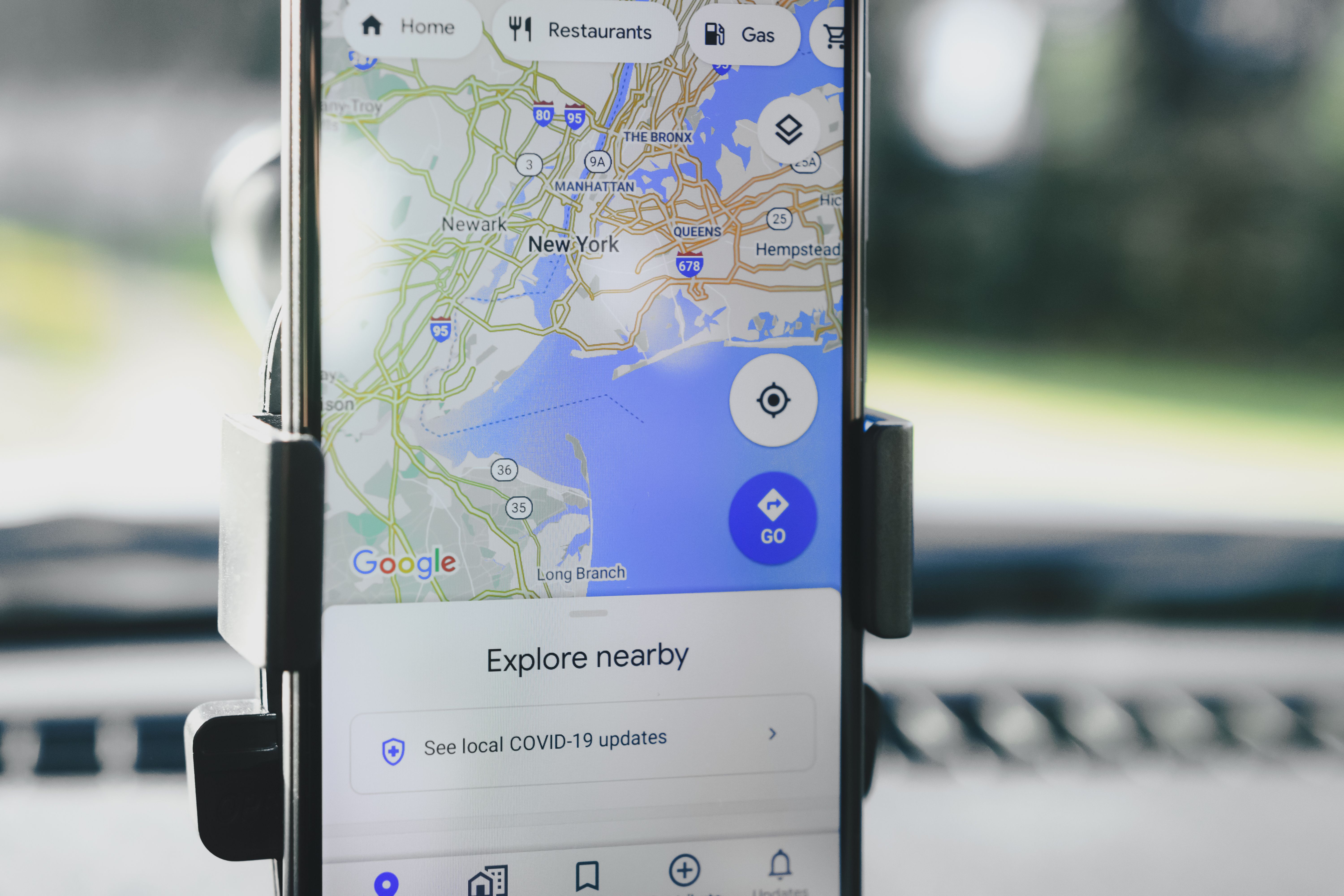
Yes, you can use Google Maps with a travel eSIM.
In fact, navigation is one of the most useful reasons to have a travel eSIM when travelling internationally. When you're in a new country, you may need Google Maps to find your hotel, navigate public transportation, locate restaurants, find tourist attractions, or get directions to the airport.
A travel eSIM provides the mobile data connection that Google Maps needs to access online maps, search for locations, calculate routes, and provide navigation.
With eSIMLLY, you can choose travel eSIM plans covering 160+ countries, giving you mobile data for navigation and other travel applications without needing to purchase a physical SIM card after arriving at your destination.
Explore eSIMLLY travel eSIM plans
Google Maps uses an internet connection for many of its features.
When your phone is connected to mobile data through a travel eSIM, Google Maps can access the internet just as it would through your normal mobile connection.
The basic setup looks like this:
eSIMLLY travel eSIM → Mobile network → Mobile data → Google Maps
Once your eSIM is installed and connected to a supported network, you can open Google Maps and use mobile data for navigation.
You don't need a physical SIM card specifically for Google Maps.
What you need is:
A compatible smartphone
An installed travel eSIM
An active data plan
Mobile network coverage
Google Maps installed on your phone
Imagine arriving at an airport in a country you've never visited before.
You need to:
Find your hotel
Check the route
Locate public transportation
Find a taxi pickup point
Navigate to a restaurant
Find a tourist attraction
If you don't have Wi-Fi, you need mobile data.
This is where a travel eSIM can be useful.
With an eSIMLLY travel eSIM, you can install your plan before your trip and use the eSIM for mobile data when you arrive in your destination.
That means you can open Google Maps as soon as you have network connectivity instead of searching for a physical SIM card at the airport.
Yes.
Google Maps can use mobile data instead of Wi-Fi.
Your phone does not need to be connected to a Wi-Fi network if you have an active mobile-data connection through your travel eSIM.
For example:
Hotel Wi-Fi: Google Maps works.
Airport Wi-Fi: Google Maps works.
Restaurant Wi-Fi: Google Maps works.
eSIMLLY mobile data: Google Maps works.
The important requirement is having an active internet connection.
Yes, provided your travel eSIM has been installed and activated correctly and your phone has connected to a supported mobile network.
This is one of the biggest conveniences of preparing an eSIM before travelling.
For example, if you're travelling from India to Japan:
Purchase your Japan eSIMLLY plan.
Receive your activation information.
Install the eSIM.
Configure it according to the installation instructions.
Enable the eSIM.
Select it as your mobile-data line.
Connect to the supported network.
Open Google Maps.
Search for your destination.
Start navigation.
You can then use mobile data for navigation while travelling around Japan.
Generally, basic navigation does not consume the same amount of data as activities such as video streaming.
However, your actual data usage depends on how you use Google Maps.
Data can be used when you:
Search for locations
Load map areas
Calculate routes
Browse businesses
View traffic information
Download map content
Load photos or business information
Continuously use navigation
If you use Google Maps frequently throughout your trip, navigation should be considered when selecting your eSIM data allowance.
For light travelers, a smaller eSIMLLY data plan may be sufficient.
For travelers who use navigation extensively alongside social media, video calls, browsing, and other services, a larger plan may be more appropriate.
There isn't one fixed amount because data consumption depends on how you use the application, how long you navigate, how much map content you load, and which features you use.
Basic navigation can be relatively data-efficient compared with streaming video.
However, you shouldn't choose your entire travel eSIM plan based only on Google Maps.
Remember that your eSIM data may also be used by:
TikTok
Browser applications
Ride-hailing apps
Video calls
Cloud synchronization
Automatic app updates
Photo backups
Therefore, think about your total mobile-data usage, not just navigation.
Yes.
Google Maps supports offline maps in supported areas.
You can download a map area while you have an internet connection and then use the downloaded map when you don't have an active connection.
This can be particularly useful when travelling internationally.
For example, before leaving your hotel, you can download the relevant map area over Wi-Fi.
Then, if your mobile connection becomes unavailable, you may still be able to use the downloaded map for supported offline functions.
However, offline maps do not provide every feature available when you're connected to the internet.
Features such as live traffic information and some real-time information require an active internet connection.
It can be a useful backup.
A good travel setup is:
Primary connection: eSIMLLY mobile data
Backup: Google Maps offline maps
This gives you two ways to access navigation.
Your eSIMLLY plan allows you to use Google Maps online, while offline maps can provide additional backup if you temporarily lose connectivity.
The exact interface can change between app versions, but the general process is:
Open Google Maps.
Search for your destination.
Open the destination or map area.
Find the option to download the offline map.
Select the area you want to save.
Download it while connected to Wi-Fi or mobile data.
Keep the downloaded map available during your trip.
For a large destination, you may want to download the relevant area before travelling.
Yes.
Walking navigation can use your travel eSIM's mobile data.
This can be especially useful in large cities where you're constantly moving between:
Hotels
Restaurants
Train stations
Shopping areas
Tourist attractions
Museums
Airports
Instead of stopping frequently to find Wi-Fi, your phone can remain connected through your eSIMLLY data plan.
Yes.
Google Maps can use mobile data for driving navigation where the relevant navigation features are available.
You can use it to:
Search destinations
Calculate routes
Receive turn-by-turn directions
Check traffic information
Find nearby businesses
Search for fuel stations
Locate parking and other services where available
Keep in mind that some features depend on the destination and local Google Maps availability.
Yes.
Google Maps can be particularly useful when travelling by:
Bus
Train
Metro
Subway
Tram
Other public transportation
Depending on the destination, Google Maps can provide information such as routes, stations, departure information, and estimated travel times.
Because some information is updated dynamically, having an active mobile-data connection can be useful.
Yes.
If your eSIMLLY plan supports the European destination or region you're visiting, you can use your eSIM mobile data to access Google Maps.
For example, if your itinerary includes destinations such as:
France
Germany
Italy
Spain
United Kingdom
you can select the appropriate eSIMLLY destination or regional option based on your itinerary.
Yes.
A Japan eSIMLLY plan provides mobile data that can be used with Google Maps while travelling in Japan.
This can be particularly useful because Japan has an extensive transportation network, and travelers frequently use navigation apps to find train stations, attractions, restaurants, hotels, and public transportation routes.
eSIMLLY offers multiple Japan data plans, including different data allowances and validity periods.
Yes.
You can use Google Maps over the mobile data provided by an eSIMLLY Singapore plan.
Singapore is highly connected and has extensive public transportation, making navigation useful for travelers moving between attractions, hotels, restaurants, shopping areas, and transport stations.
eSIMLLY offers Singapore plans with different data allowances and validity periods.
Yes.
A compatible eSIMLLY France plan can provide the mobile data needed to use Google Maps while travelling in France.
You can use it for:
Walking
Driving
Public transportation
Restaurant searches
Hotel searches
Tourist attractions
General navigation
Yes.
An eSIMLLY Thailand plan can provide mobile data for Google Maps and other travel applications.
This can be useful when travelling between cities, finding restaurants, navigating Bangkok, visiting islands, or exploring tourist attractions.
Yes.
Google Maps does not require your travel eSIM to have a traditional phone number simply to provide map and navigation functionality.
What matters is having an active internet connection.
This is one reason a data-only travel eSIM can be useful.
Your eSIMLLY plan can provide the mobile data required by Google Maps while you continue using your regular SIM for your existing number where supported.
Yes, on compatible dual-SIM devices.
A common travel setup can look like this:
Regular SIM: Existing phone number
eSIMLLY: Mobile data
You can configure the eSIMLLY line as your mobile-data connection and use Google Maps through that data connection.
This can allow you to keep your existing SIM installed without replacing it with a physical travel SIM.
Remember to check your phone's mobile-data and roaming settings so that your primary SIM doesn't unexpectedly use roaming data.
No.
You do not need a local phone number simply to use Google Maps for navigation.
This is another reason data-only travel eSIMs can be convenient.
You can have:
Your existing number + eSIMLLY mobile data + Google Maps
on a compatible device.
Yes.
Both applications can use the mobile data provided by your travel eSIM.
For example, while walking through a new city, you can:
Use Google Maps for directions.
Use WhatsApp to message your travel companion.
Search Google for a restaurant.
Use a translation application.
Book a ride.
All of these activities can use your eSIMLLY mobile data.
You need some form of internet connectivity for the online features of Google Maps.
If your phone has no active SIM/eSIM and no Wi-Fi, online Google Maps functionality may not work.
However, downloaded offline maps can provide some navigation functionality without an active internet connection.
A travel eSIM provides a convenient way to maintain mobile connectivity without using a physical SIM card.
If Google Maps isn't working after installing your eSIM, check the following.
Make sure your eSIMLLY line is selected for mobile data.
Look at your phone's status bar to confirm that the eSIM has connected to a supported network.
Some travel eSIM plans require data roaming to be enabled.
Follow the instructions provided with your specific eSIMLLY plan.
Some plans may require specific network settings. Follow the installation instructions associated with your plan.
A simple restart can sometimes help the phone establish the correct network connection.
Make sure your plan has remaining data and has not expired.
Make sure Google Maps has permission to use mobile data.
If you still have problems, eSIMLLY provides customer support to help with installation and connectivity issues.
If you want your travel eSIM data to last longer, there are several practical steps you can take.
Download the areas you plan to visit while connected to Wi-Fi.
Standard map views generally require less data than continuously loading more detailed imagery.
You can use hotel, airport, or restaurant Wi-Fi for large downloads and other data-heavy activities.
Some apps may use mobile data even when you aren't actively using them.
Keep an eye on your phone's mobile-data usage during your trip.
This is particularly important if you are using a smaller eSIMLLY plan.
If Google Maps is your primary reason for buying a travel eSIM, you may not need an extremely large plan.
However, remember that your eSIM data will likely be used for other activities too.
For example:
Uses:
Google Maps
Occasional browsing
A smaller plan may be sufficient.
Uses:
Google Maps
Social media
Ride-hailing apps
Browsing
Music
Messaging
A medium-sized plan may be more suitable.
Uses:
Google Maps
Video calls
Social media
Streaming
Remote work
Frequent uploads
A larger plan may be appropriate.
eSIMLLY offers different data allowances depending on the destination, so you can choose according to your expected usage.
eSIMLLY provides travel eSIM plans across 160+ countries, so you can use mobile data for navigation in many destinations around the world.
Depending on the destination, plans can include options such as:
1 GB
2 GB
3 GB
5 GB
10 GB
20 GB
Validity periods can include:
7 days
15 days
30 days
The available plans and pricing vary by destination.
This allows you to choose a plan based on your trip rather than buying a single fixed-size package for every journey.
Google Maps is only one of the applications you can use with your travel eSIM.
Once your eSIMLLY plan provides mobile data, you can also use internet-based travel services such as:
Google Translate
Gmail
Uber and other ride-hailing apps where available
Airline applications
Hotel applications
Booking platforms
Weather apps
Social media
Travel guides
This makes a travel eSIM useful for much more than navigation.
eSIMLLY is designed for international travelers who need convenient mobile connectivity.
With coverage across 160+ countries, you can select plans for many popular destinations around the world.
Key benefits include:
160+ countries covered
Digital eSIM delivery
No physical SIM card
Different data allowances
Different validity periods
4G/5G connectivity where supported
Destination-specific plans
Installation guidance
24/7 support
The exact network and available features depend on your selected destination and plan.
Yes. Google Maps can use the mobile data connection provided by a travel eSIM.
Yes. Google Maps primarily needs an internet connection for its online features, so a data-only travel eSIM can provide the required connectivity.
No. Once your travel eSIM is connected to a supported mobile network, Google Maps can use mobile data instead of Wi-Fi.
Yes, provided your eSIM is installed, activated correctly, and connected to a supported network.
Yes. Google Maps supports offline maps in supported areas. Download them before losing your internet connection.
Basic navigation can be relatively data-efficient, but your total usage depends on how you use Google Maps and other applications. Your overall eSIM requirement should include all of your mobile-data activities.
Yes. You do not need a traditional local phone number simply to use Google Maps for navigation.
Yes, on compatible dual-SIM devices. You can potentially keep your regular SIM installed and use eSIMLLY for mobile data.
Yes. A compatible eSIMLLY Japan plan can provide mobile data for Google Maps and other travel applications.
eSIMLLY provides travel eSIM coverage across 160+ countries, including many European destinations. Check the specific country or regional plan for your itinerary.
Check your eSIM's mobile-data settings, network connection, data roaming requirements, remaining data, and Google Maps' mobile-data permissions. Restarting your phone can also help.
Yes, you can absolutely use Google Maps with a travel eSIM.
In fact, having mobile data for navigation can make international travel much easier.
With an eSIMLLY travel eSIM, you can install your eSIM before travelling and use mobile data for Google Maps when you arrive at your destination.
You can use it to:
Find your hotel
Navigate city streets
Locate restaurants
Find tourist attractions
Use public transportation
Get driving directions
Find airports and train stations
Book transportation
For additional protection against connectivity problems, you can also download offline Google Maps before your trip.
eSIMLLY provides travel eSIM plans across 160+ countries, with different data allowances and validity periods depending on your destination.
So whether you're exploring the streets of Tokyo, navigating Paris, travelling around Thailand, or moving between European cities, your eSIMLLY travel eSIM can keep your mobile data available for Google Maps and the other apps you need during your journey.
Choose your destination, select your eSIMLLY data plan, install it before you travel, and navigate your trip with confidence.
Instant activation, hotspot included and no roaming fees in the destinations from this guide.
Montenegro isn't in EU Roam Like at Home. Compare tourist SIMs and eSIMs for Kotor, Budva and Durmitor, including cruise day stops. Plans from $2.
Read
Zvartnots airport SIM or eSIM? Compare Armenia's operators, tourist bundle prices and when each option makes sense. eSIM plans from $2.50.
Read
Beeline, Kcell or Tele2? Why foreign phones on Kazakh SIMs need IMEI registration, and when a travel eSIM is easier. Plans from $1.50.
ReadGet instant data and savings on your next trip with eSIMLLY. Simple activation, no physical SIM card needed.


