
Montenegro SIM Card vs eSIM: EU Roaming, Cruise Stops & Coverage (2026)
Montenegro isn't in EU Roam Like at Home. Compare tourist SIMs and eSIMs for Kotor, Budva and Durmitor, including cruise day stops. Plans from $2.
ReadAuthor
Angelus Sharma
Published
September 17, 2026
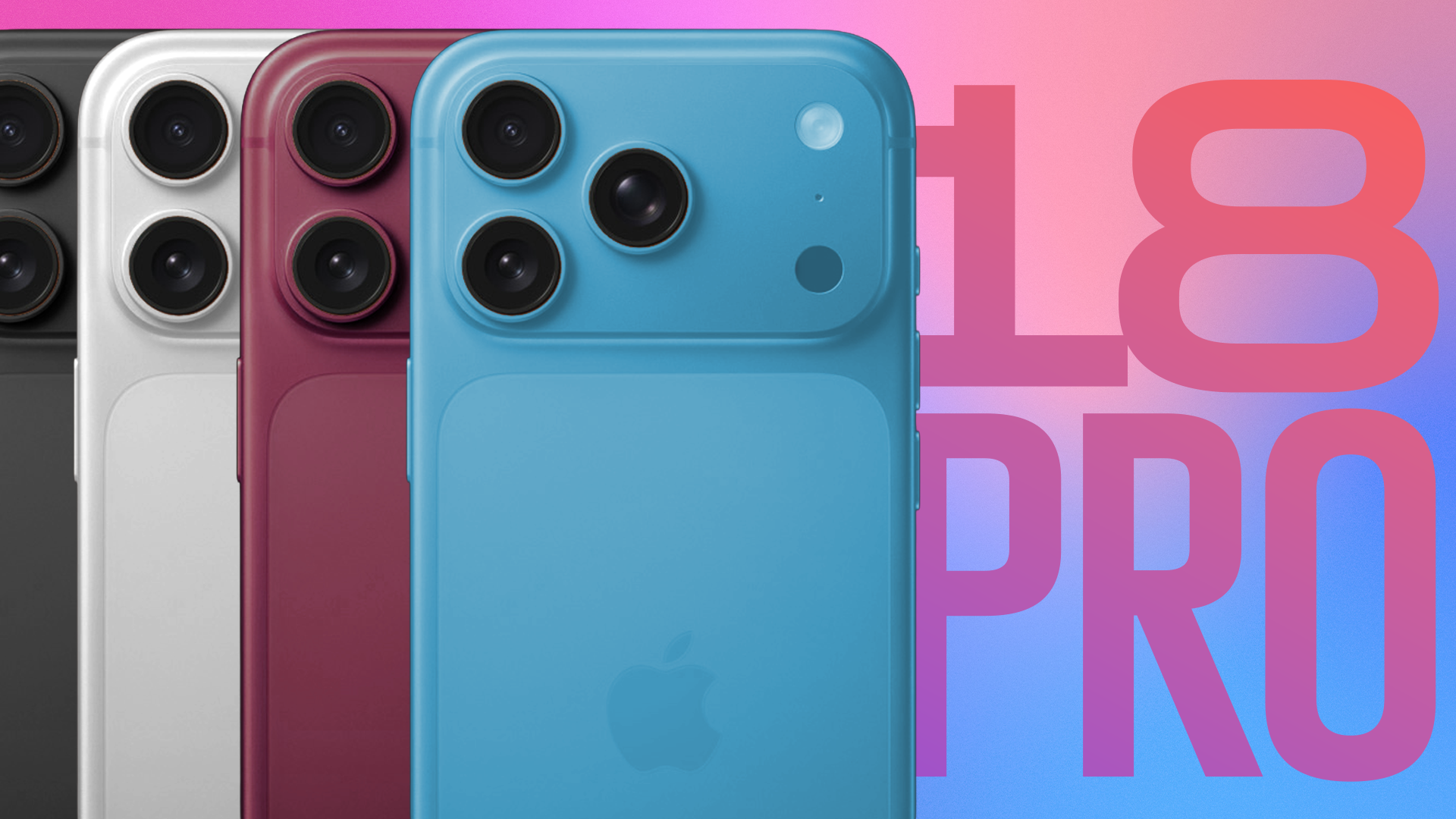
The iPhone 18 Pro Max is designed for people who want a powerful smartphone without compromising on connectivity. One of its most useful features for modern travelers is eSIM support, which allows you to activate a compatible mobile plan digitally instead of relying entirely on a physical SIM card.
For people who travel internationally, this can make a big difference.
Instead of arriving at an airport, searching for a local SIM shop, comparing plans, and physically replacing your SIM card, you can purchase a travel eSIM before your trip and install it directly on your iPhone 18 Pro Max.
But how exactly do you set one up?
In this guide, we'll explain how to set up eSIM on iPhone 18 Pro Max, including QR-code installation, activation links, manual setup, eSIM transfer, travel eSIM configuration, mobile-data settings, roaming precautions, and troubleshooting.
We'll also explain how eSIMLLY can help you stay connected across 160+ countries with competitively priced travel eSIM plans.
Yes. The iPhone 18 Pro Max supports eSIM.
Apple's current specifications state that compatible iPhone 18 Pro Max models support dual eSIM, with two eSIMs active at the same time and storage for eight or more eSIM profiles.
However, the exact SIM configuration depends on the market where the iPhone is sold.
For example, Apple's India specifications list:
Dual SIM
Nano-SIM and eSIM
Dual eSIM support
for the iPhone 18 Pro Max.
Meanwhile, Apple offers eSIM-only iPhone 18 Pro and iPhone 18 Pro Max models in selected markets, including the United States, Canada, Japan, Mexico, the UAE, Saudi Arabia, Bahrain, Kuwait, Oman, Qatar, Guam, and the U.S. Virgin Islands.
So if you're purchasing an iPhone 18 Pro Max internationally, always check the specifications for the country where the device was purchased.
An eSIM, or embedded SIM, is a digital SIM built into your smartphone.
Instead of inserting a plastic SIM card into the device, your cellular provider digitally installs a mobile plan on your iPhone.
That means you can potentially:
Install a cellular plan digitally
Store multiple eSIM profiles
Use two eSIMs simultaneously on compatible models
Add a travel eSIM before leaving home
Switch between cellular plans
Avoid physically changing SIM cards
Apple describes eSIM as a digital SIM that allows a cellular plan to be activated without using a physical SIM card.
For international travelers, this is especially convenient.
Imagine you're flying from India to Japan.
Instead of purchasing a physical Japanese SIM after landing, you can purchase a Japan travel eSIM, install it on your iPhone 18 Pro Max while you're still at home, and configure it for mobile data.
When you arrive, your travel eSIM can connect to a supported network according to the plan's activation requirements.
There are several reasons travelers and everyday users are choosing eSIM.
The biggest advantage is obvious: there is no physical card to insert.
Your cellular plan is downloaded digitally.
You can purchase your travel eSIM before your flight instead of searching for a SIM shop after landing.
The iPhone 18 Pro Max supports multiple eSIM profiles, with Apple's specifications stating that compatible models can store eight or more eSIMs and use two active eSIMs.
You can manage your cellular plans from your iPhone settings.
A travel eSIM can provide another option besides using your home carrier's international roaming service.
This can be particularly useful for longer trips or frequent international travel.
Before starting the installation process, make sure you have everything you need.
Your device must support eSIM.
You need a cellular plan from your carrier or travel eSIM provider.
You'll generally need Wi-Fi or another internet connection while downloading your eSIM.
Apple specifically recommends connecting the iPhone to Wi-Fi or a hotspot when setting up or troubleshooting an eSIM.
Your provider may supply:
QR code
Activation link
Carrier app
Manual activation details
If you're using a third-party travel eSIM, make sure your iPhone isn't carrier locked.
You can check:
Settings → General → About → Carrier Lock
If the device shows no SIM restrictions, it can generally use compatible plans from other providers.
Using a QR code is one of the most common ways to install an eSIM.
If your provider gives you a QR code, follow these steps.
Connect your iPhone 18 Pro Max to a reliable Wi-Fi network.
This is recommended before beginning eSIM installation.
If you're traveling, it's better to do this before leaving home.
Open:
Settings → Cellular / Mobile Service
Depending on your region and iOS configuration, the wording may differ slightly.
Choose:
Add eSIM
Your iPhone will show the available installation methods.
Choose the option to use a QR code.
Your iPhone will open the appropriate scanning interface.
Point your iPhone's camera at the QR code supplied by your provider.
Make sure the entire code is visible.
Your iPhone will detect the cellular plan and display the relevant installation information.
Continue through the setup process.
Allow the eSIM profile to download and install.
Your iPhone may ask you to label the new cellular plan.
For example:
Travel
Japan
Europe
Business
Personal
Vacation
For international travel, using the destination as the label can be helpful.
For example:
Japan Travel
or
Europe eSIM
This makes it easier to identify the correct line later.
Some eSIM providers can send an activation link instead of a QR code.
Apple supports eSIM activation through supported network-provider links. On compatible iPhones and iOS versions, opening the link can display an option to activate a new eSIM.
The general process is:
Open the activation link on your iPhone 18 Pro Max.
Wait for the eSIM activation prompt.
Select Allow if prompted.
Tap Continue.
Follow the remaining on-screen instructions.
This can be particularly convenient because you don't need to manually scan a QR code.
For travelers, an activation link can also make it easier to install an eSIM directly from an email or browser.
Some network providers allow eSIM activation through their official apps.
If your provider supports this:
Download the provider's app.
Sign in to your account.
Find your cellular plan.
Select the eSIM activation option.
Follow the instructions.
Complete the installation.
Apple lists carrier-app activation as one of the supported ways to activate an eSIM.
The exact process depends on the carrier or eSIM provider.
Sometimes an eSIM provider may give you manual activation information rather than a QR code.
In this case, go to:
Settings → Cellular / Mobile Service → Add eSIM
Then look for the option to enter the details manually.
Depending on the provider, you may receive information such as:
SM-DP+ address
Activation code
Confirmation code
Enter the information exactly as provided.
Apple supports manual eSIM setup when the provider supplies the required activation information.
If you make a mistake while entering the information, the eSIM may fail to install.
This is where the iPhone 18 Pro Max's eSIM capability becomes especially useful.
Let's say you're traveling to Italy for 10 days.
Instead of buying a physical SIM after arriving, you can purchase an Italy travel eSIM before your flight.
Your process can look like this.
Purchase your Italy eSIM.
↓
Receive your installation information.
↓
Connect your iPhone 18 Pro Max to Wi-Fi.
↓
Install the eSIM.
↓
Label it Italy Travel.
↓
Keep your primary line available if required.
Open:
Settings → Cellular / Mobile Service
Select your Italy travel eSIM.
Choose it as your cellular-data line.
If the provider requires data roaming, enable it according to the plan's instructions.
Then test your mobile data.
This can give you access to:
Google Maps
Google Translate
Ride-hailing apps
Hotel reservations
Airline apps
Social media
Online banking
without relying entirely on airport Wi-Fi.
If you're looking for a travel eSIM for iPhone 18 Pro Max, eSIMLLY provides plans covering 160+ countries.
That means you can check travel eSIM options for destinations across Europe, Asia, North America, Australia, the Middle East, and many other regions.
For example, you can look for plans for:
Japan
Italy
Germany
France
Spain
Australia
Canada
United States
Thailand
Singapore
Indonesia
UAE
United Kingdom
Instead of managing separate physical SIM cards for every trip, you can purchase your destination eSIM digitally.
And pricing matters too.
eSIMLLY offers highly competitive eSIM rates, with plans starting among the lowest compared with many other eSIM providers.
So before paying for an expensive roaming package or buying a SIM at the airport, check the available eSIMLLY plans for your destination.
Check eSIMLLY's latest eSIM rates for 160+ countries before your next trip.
The exact installation method depends on the eSIM plan and the installation information supplied with your purchase.
Generally, the process follows these steps.
Choose the country you're traveling to.
For example:
Japan → Japan eSIM
Italy → Italy eSIM
Germany → Germany eSIM
Australia → Australia eSIM
Consider:
Number of travel days
Daily data usage
Navigation requirements
Social media usage
Video streaming
Hotspot requirements
Complete your purchase and receive the installation instructions.
Use the supplied installation method.
This could be a QR code, activation link, or another supported method.
Choose a recognizable name.
For example:
Japan Trip
or
Europe Travel
When you're ready to use the travel eSIM, select it under your cellular data settings.
For most travelers, installing the eSIM before departure is a good idea.
Why?
Because the last thing you want after a long flight is to arrive at your destination without internet access.
You may need mobile data to:
Find your hotel
Call a taxi
Open your booking
Use Google Maps
Contact family
Translate something
Check your next flight
Installing your eSIM before departure gives you time to resolve any installation issues while you still have reliable Wi-Fi.
However, remember:
Installing an eSIM and activating an eSIM are not necessarily the same thing.
Your plan's validity may begin at installation, first network connection, or another trigger depending on the provider.
Always check your specific eSIM's activation rules.
After installing your eSIM, you need to make sure your iPhone is using it for mobile data.
Open:
Settings → Cellular / Mobile Service
Then select:
Cellular Data
Choose your travel eSIM.
For example:
Cellular Data → Japan Travel
This tells your iPhone which cellular line should provide mobile data.
This step is particularly important when you have both your normal line and a travel eSIM installed.
That depends on the regional model.
In markets such as India, Apple's specifications list both nano-SIM and eSIM support on the iPhone 18 Pro Max, along with dual eSIM support.
In eSIM-only markets, there is no physical SIM slot.
However, eSIM functionality allows you to manage multiple digital cellular plans.
For travelers, this means you could potentially use:
Primary eSIM: Your normal mobile number
Travel eSIM: Your international data plan
On compatible models, two eSIMs can be active at the same time.
Buying a travel eSIM doesn't automatically prevent your primary carrier from charging roaming fees.
You need to configure your phone correctly.
Before traveling:
Choose your travel eSIM as the cellular data line.
Review whether data roaming is enabled on your primary line.
Some travel eSIMs require data roaming to be enabled.
Others may have different requirements.
If your iPhone offers cellular data switching, review this setting carefully.
You generally don't want your phone automatically switching to your primary line for data while abroad.
After landing, turn Wi-Fi off and test your mobile data.
After installation, go to:
Settings → Cellular / Mobile Service
Your new cellular plan should appear.
Then check your network signal.
To test your data:
Temporarily disable Wi-Fi.
Visit a website.
Search for a destination.
Send a message while Wi-Fi is disabled.
If everything works, your eSIM's cellular data connection is active.
Sometimes the eSIM can install correctly but fail to connect.
Try these steps.
Enable Airplane Mode.
Wait a few seconds.
Then disable it.
Apple recommends this as one of the initial troubleshooting steps for eSIM connectivity problems.
A restart can resolve temporary network issues.
Go to:
Settings → Cellular
Make sure the eSIM line is enabled.
Make sure the correct eSIM is selected under:
Cellular Data
If your provider requires data roaming, make sure it is enabled.
Make sure:
Your destination is covered.
The plan hasn't expired.
You haven't reached the data limit.
The eSIM was activated correctly.
Apple recommends checking for network-provider settings updates under:
Settings → General → About
If an update is available, you'll be prompted to install it.
Make sure your iPhone is running the latest version available for your device.
If the issue continues, contact your eSIM provider.
Your EID is a device identifier associated with eSIM functionality.
It can be useful when contacting your network provider about activation issues.
To find it:
Settings → General → About
Scroll through the device information to locate the EID.
Apple recommends having your iPhone's IMEI or EID available when troubleshooting eSIM activation problems.
Yes.
Apple's current technical specifications state that compatible iPhone 18 Pro Max models can store eight or more eSIM profiles and support two active eSIMs.
This is particularly convenient for frequent travelers.
You could potentially store eSIM profiles associated with different destinations, such as:
Japan
Europe
Australia
Canada
Singapore
Thailand
Germany
United States
You don't need to carry physical SIM cards for each destination.
However, remember that stored eSIM profiles and active eSIMs are different.
The iPhone can store multiple profiles while supporting two active eSIMs on compatible models.
Yes, compatible iPhone 18 Pro Max models support two active eSIMs. Apple also states that these models can store eight or more eSIM profiles.
This can be useful for travelers.
For example:
Line 1: Personal
Line 2: Travel
Or:
Line 1: Work
Line 2: Travel
You can manage the cellular lines through your iPhone's settings.
The availability of specific services, calls, SMS, and data features still depends on the carriers or eSIM providers involved.
Yes, if your carrier supports the appropriate transfer method.
Apple supports eSIM Quick Transfer for participating carriers, allowing users to transfer a phone number from a previous iPhone to a new iPhone without necessarily contacting the carrier.
The exact availability depends on the network provider.
If you're moving from an older iPhone to an iPhone 18 Pro Max, you may see an option to transfer your cellular plan during setup.
If your carrier doesn't support Quick Transfer, it may provide another method such as a QR code or carrier app.
In some cases, yes.
Apple now supports eSIM transfer between certain Android devices and iPhones, but availability depends on the carrier and device combination.
If your carrier doesn't support direct transfer, you may need to contact the carrier for a new eSIM or QR code.
For a travel eSIM, however, you usually don't need to transfer an existing profile.
You can simply purchase a new travel eSIM compatible with your iPhone 18 Pro Max and install it.
China has specific eSIM rules, so travelers should pay particular attention to the exact model.
Apple currently lists the iPhone 18 Pro Max model A3718 among the iPhone models that support eSIM in mainland China. Apple also says that China mainland eSIM activation requires visiting a supported carrier store, with China Mobile, China Telecom, and China Unicom supporting eSIM.
Apple also notes that eSIMs from non-mainland-China providers can't be installed while physically located in mainland China on these devices.
If you're traveling with an iPhone 18 Pro Max purchased in China, check the exact model and activation requirements before your trip.
Your data requirements depend on how you use your phone.
You may primarily use:
Google Maps
Web browsing
A smaller plan may be enough for a short trip.
You might use:
Music streaming
Video calls
Frequent navigation
A larger data allowance may be appropriate.
If you're regularly using:
YouTube
TikTok
Instagram Reels
Video streaming
Hotspot
Cloud backups
your data consumption can increase quickly.
Before buying a travel eSIM, estimate your typical daily usage and multiply it by the number of travel days.
If your regional iPhone 18 Pro Max supports both, you may wonder which option makes more sense.
Feature | eSIM | Physical SIM |
|---|---|---|
Physical card | No | Yes |
Digital activation | Yes | No |
Install before travel | Yes | Usually not |
Easy to switch plans | Yes | Requires card replacement |
Risk of losing card | Very low | Possible |
Multiple profiles | Yes | Limited |
Convenient for travel | Excellent | Moderate |
Airport SIM required | No | Often |
For international travelers, the biggest advantage is convenience.
You can prepare your connectivity before leaving home.
If you have invested in an iPhone 18 Pro Max, you can take advantage of its eSIM capabilities when traveling internationally.
eSIMLLY offers travel eSIM coverage across 160+ countries, making it possible to find destination-specific plans through one platform.
Whether your next destination is:
Japan
Italy
Germany
France
Spain
Australia
Canada
United States
Thailand
Singapore
or another supported destination, you can check available plans before traveling.
Pricing is also an important consideration.
eSIMLLY focuses on highly competitive eSIM pricing, with plans starting among the lowest compared with many other providers.
That gives travelers an opportunity to compare their destination's eSIM rates before choosing an expensive roaming package or purchasing a SIM at the airport.
You can check the latest available plans, data allowances, and validity periods before your trip.
Before your next trip, use this checklist.
☐ Confirm your iPhone 18 Pro Max supports eSIM
☐ Check whether your device is unlocked
☐ Check destination coverage
☐ Compare data allowances
☐ Check plan validity
☐ Check activation rules
☐ Purchase your travel eSIM
☐ Connect to Wi-Fi
☐ Install the eSIM
☐ Label the eSIM
☐ Keep installation details available
☐ Review roaming settings
☐ Turn on your travel eSIM
☐ Select it for cellular data
☐ Enable data roaming if required
☐ Turn off Wi-Fi temporarily
☐ Test mobile data
☐ Confirm the correct network is connected
This preparation can make your arrival much smoother.
Yes. The iPhone 18 Pro Max supports eSIM, with compatible models supporting dual eSIM functionality.
Yes, provided the device is compatible and unlocked where required and the travel eSIM supports your destination.
Go to Settings → Cellular / Mobile Service → Add eSIM and follow the installation method provided by your carrier or eSIM provider.
Yes. QR-code activation is one of Apple's supported eSIM installation methods.
Yes. Supported providers can send an activation link that can be opened directly on the iPhone.
Yes. Where supported, you can enter the eSIM information provided by your carrier or eSIM provider manually.
Yes. Compatible iPhone 18 Pro Max models support two active eSIMs and can store eight or more eSIM profiles.
Apple states that compatible models can store eight or more eSIM profiles.
On compatible dual-SIM configurations, you can keep your primary line while using a travel eSIM for mobile data.
Yes, installing it before departure can give you time to troubleshoot while you still have reliable Wi-Fi.
Not necessarily. Activation rules depend on the provider and specific plan.
Yes, if your carrier supports eSIM Quick Transfer or another supported transfer method.
Some carriers and devices support Android-to-iPhone eSIM transfer, but availability depends on the specific carrier and device combination.
Check your eSIM line, cellular-data selection, roaming requirements, plan validity, network settings, and iOS version. Apple also recommends toggling Airplane Mode, restarting the device, and checking network-provider settings.
eSIMLLY provides travel eSIM plans for compatible devices across 160+ countries. Your iPhone model must support eSIM and the selected plan must support your destination.
You can check the latest travel eSIM plans and rates on the eSIMLLY website, covering destinations across 160+ countries.
Setting up an eSIM on the iPhone 18 Pro Max is straightforward once you know which installation method your provider supports.
You can activate an eSIM using a QR code, activation link, carrier app, manual information, or a supported transfer method.
For international travelers, the real advantage is preparation.
Instead of waiting until you land to search for a physical SIM, you can purchase a travel eSIM before your trip, install it while connected to Wi-Fi, and configure it for mobile data.
The iPhone 18 Pro Max also supports multiple eSIM profiles, with Apple stating that compatible models can store eight or more eSIMs and use two active eSIMs.
And if you're looking for affordable international connectivity, eSIMLLY covers 160+ countries and offers highly competitive eSIM rates, with plans starting among the lowest compared with many other providers.
So before your next trip, check your destination, compare your eSIM options, install your plan, and make sure your mobile data is ready before you board your flight.
Your iPhone 18 Pro Max is ready for the world. Make sure your eSIM is ready too.
Instant activation, hotspot included and no roaming fees in the destinations from this guide.
Montenegro isn't in EU Roam Like at Home. Compare tourist SIMs and eSIMs for Kotor, Budva and Durmitor, including cruise day stops. Plans from $2.
Read
Zvartnots airport SIM or eSIM? Compare Armenia's operators, tourist bundle prices and when each option makes sense. eSIM plans from $2.50.
Read
Beeline, Kcell or Tele2? Why foreign phones on Kazakh SIMs need IMEI registration, and when a travel eSIM is easier. Plans from $1.50.
ReadGet instant data and savings on your next trip with eSIMLLY. Simple activation, no physical SIM card needed.


